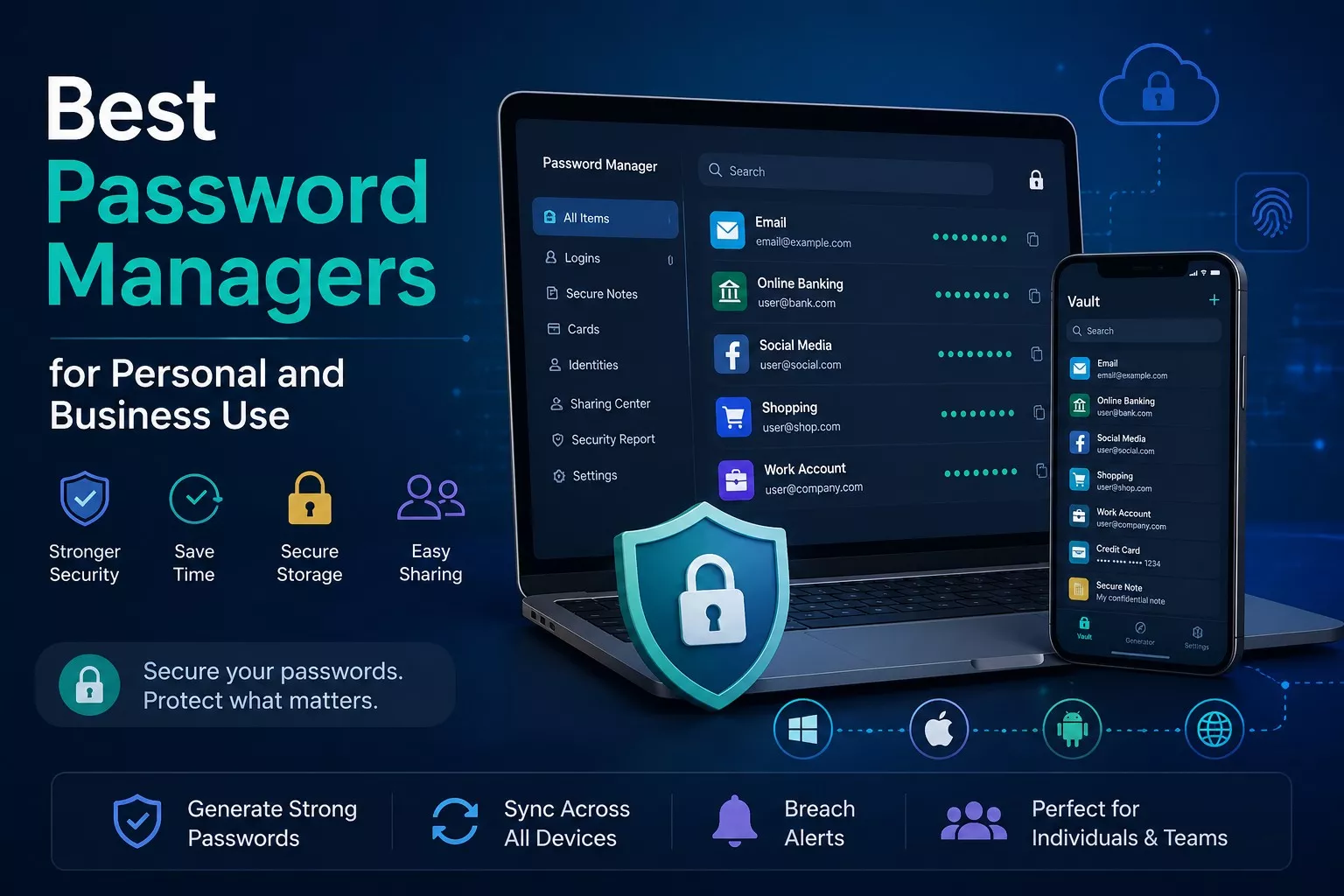

In today’s digital world, almost everyone has dozens or even hundreds of online accounts. From email and banking to social media, shopping websites, and business platforms, every account requires a strong password. Unfortunately, many people still use weak passwords or reuse the same password across multiple websites, making their accounts vulnerable to cyberattacks.
A password manager is one of the easiest and most effective ways to improve your online security. Whether you’re an individual protecting personal accounts or a business securing sensitive company data, a reliable password manager helps you generate, store, and manage strong passwords safely.
In this detailed guide, we’ll explain everything you need to know about password managers, their benefits, essential features, and the best password managers for personal and business use in 2026.
What Is a Password Manager?
A password manager is a secure application that stores all your usernames, passwords, credit card information, secure notes, and other sensitive data inside an encrypted digital vault.
Instead of remembering dozens of complicated passwords, you only need to remember one strong master password. The password manager takes care of the rest by securely filling login credentials whenever you visit a website or app.
Modern password managers also synchronize your passwords across multiple devices, allowing you to access your accounts from Windows PCs, Macs, Android phones, iPhones, tablets, and web browsers.
Why You Should Use a Password Manager
Cybercriminals constantly look for weak passwords and reused credentials. Data breaches expose millions of passwords every year, making password security more important than ever.
Using a password manager offers several important benefits:
- Stores unlimited passwords securely
- Creates strong, random passwords automatically
- Autofills login information instantly
- Protects against phishing websites
- Synchronizes passwords across devices
- Alerts you when passwords are weak or compromised
- Saves valuable time during daily logins
For businesses, password managers also reduce security risks caused by employees sharing passwords through emails or messaging apps.
How Password Managers Work
A password manager encrypts your data using advanced encryption algorithms such as AES-256, which is considered military grade encryption.
Here’s how the process works:
- You create one secure master password.
- All your passwords are encrypted and stored inside a secure vault.
- When visiting a website, the password manager recognizes the login page.
- It automatically fills your username and password.
- New passwords can be generated instantly using the built in password generator.
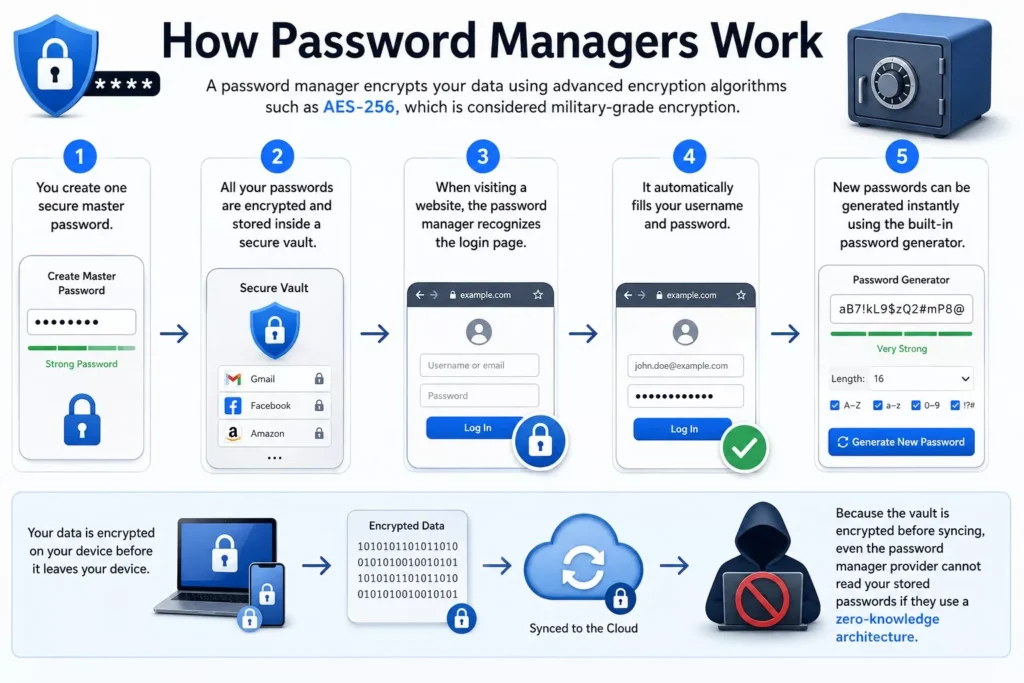
Because the vault is encrypted before syncing, even the password manager provider cannot read your stored passwords if they use a zero knowledge architecture.
Features to Look for in the Best Password Manager
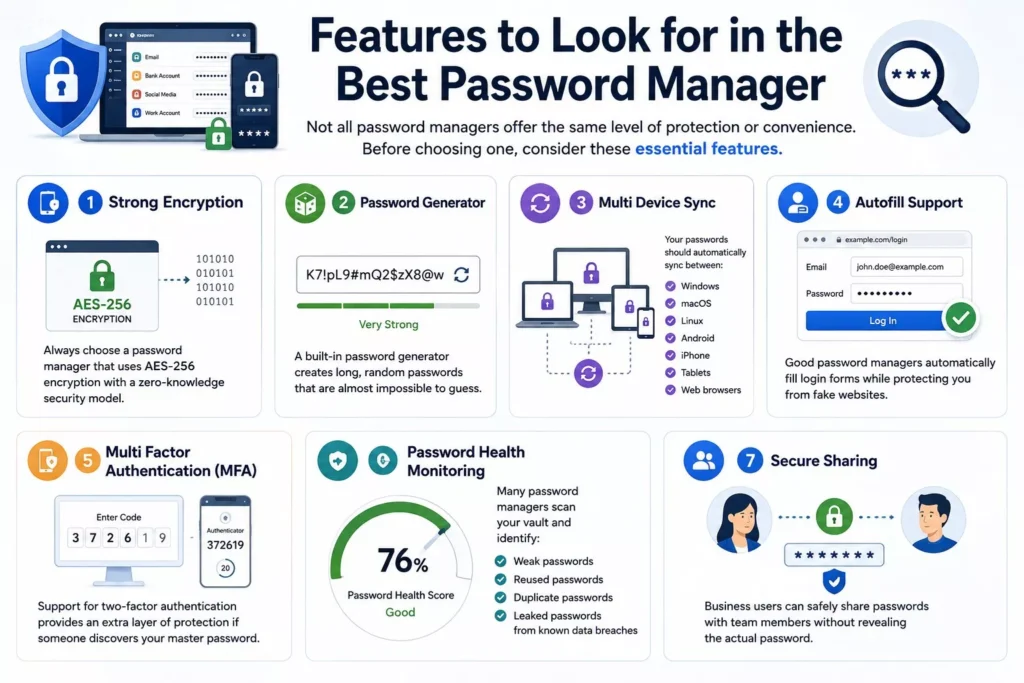
Not all password managers offer the same level of protection or convenience. Before choosing one, consider these essential features.
Strong Encryption
Always choose a password manager that uses AES-256 encryption with a zero knowledge security model.
Password Generator
A built in password generator creates long, random passwords that are almost impossible to guess.
Multi Device Sync
Your passwords should automatically sync between:
- Windows
- macOS
- Linux
- Android
- iPhone
- Tablets
- Web browsers
Autofill Support
Good password managers automatically fill login forms while protecting you from fake websites.
Multi Factor Authentication (MFA)
Support for two-factor authentication provides an extra layer of protection if someone discovers your master password.
Password Health Monitoring
Many password managers scan your vault and identify:
- Weak passwords
- Reused passwords
- Duplicate passwords
- Leaked passwords from known data breaches
Secure Sharing
Business users can safely share passwords with team members without revealing the actual password.
Password Managers for Personal Use
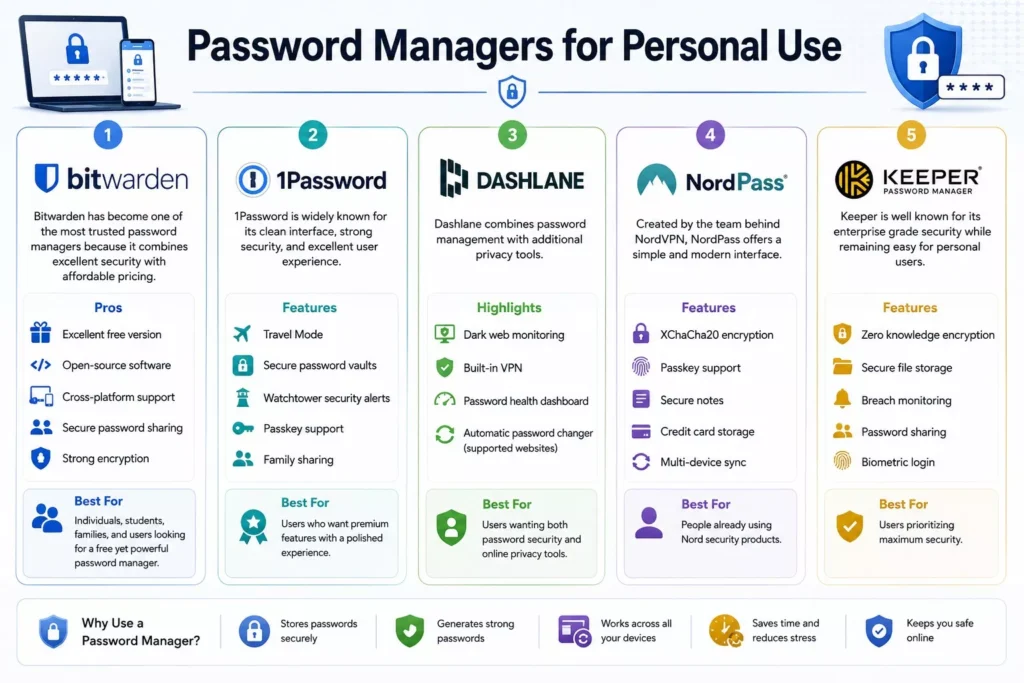
1. Bitwarden
Bitwarden has become one of the most trusted password managers because it combines excellent security with affordable pricing.
Pros
- Excellent free version
- Open source software
- Cross platform support
- Secure password sharing
- Strong encryption
Best For
Individuals, students, families, and users looking for a free yet powerful password manager.
2. 1Password
1Password is widely known for its clean interface, strong security, and excellent user experience.
Features
- Travel Mode
- Secure password vaults
- Watchtower security alerts
- Passkey support
- Family sharing
Best For
Users who want premium features with a polished experience.
3. Dashlane
Dashlane combines password management with additional privacy tools.
Highlights
- Dark web monitoring
- Built in VPN
- Password health dashboard
- Automatic password changer (supported websites)
Best For
Users wanting both password security and online privacy tools.
4. NordPass
Created by the team behind NordVPN, NordPass offers a simple and modern interface.
Features
- XChaCha20 encryption
- Passkey support
- Secure notes
- Credit card storage
- Multi device sync
Best For
People already using Nord security products.
5. Keeper Password Manager
Keeper is well known for its enterprise grade security while remaining easy for personal users.
Features
- Zero knowledge encryption
- Secure file storage
- Breach monitoring
- Password sharing
- Biometric login
Best For
Users prioritizing maximum security.
Password Managers for Business Use
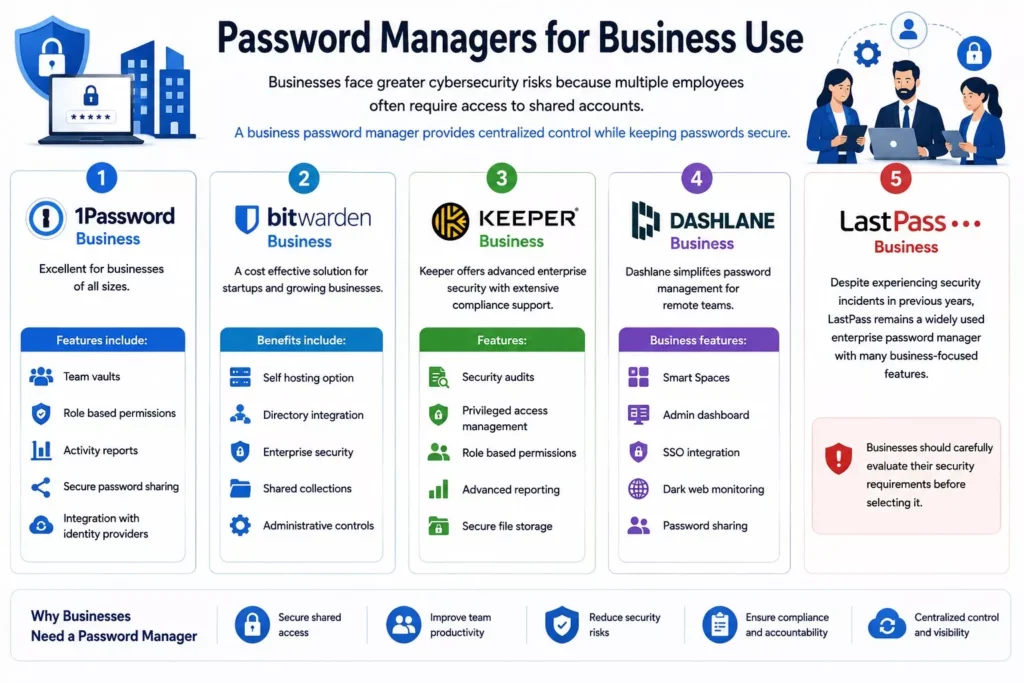
Businesses face greater cybersecurity risks because multiple employees often require access to shared accounts.
A business password manager provides centralized control while keeping passwords secure.
1. 1Password Business
Excellent for businesses of all sizes.
Features include:
- Team vaults
- Role based permissions
- Activity reports
- Secure password sharing
- Integration with identity providers
2. Bitwarden Business
A cost effective solution for startups and growing businesses.
Benefits include:
- Self hosting option
- Directory integration
- Enterprise security
- Shared collections
- Administrative controls
3. Keeper Business
Keeper offers advanced enterprise security with extensive compliance support.
Features:
- Security audits
- Privileged access management
- Role based permissions
- Advanced reporting
- Secure file storage
4. Dashlane Business
Dashlane simplifies password management for remote teams.
Business features:
- Smart Spaces
- Admin dashboard
- SSO integration
- Dark web monitoring
- Password sharing
5. LastPass Business
Despite experiencing security incidents in previous years, LastPass remains a widely used enterprise password manager with many business focused features.
Businesses should carefully evaluate their security requirements before selecting it.
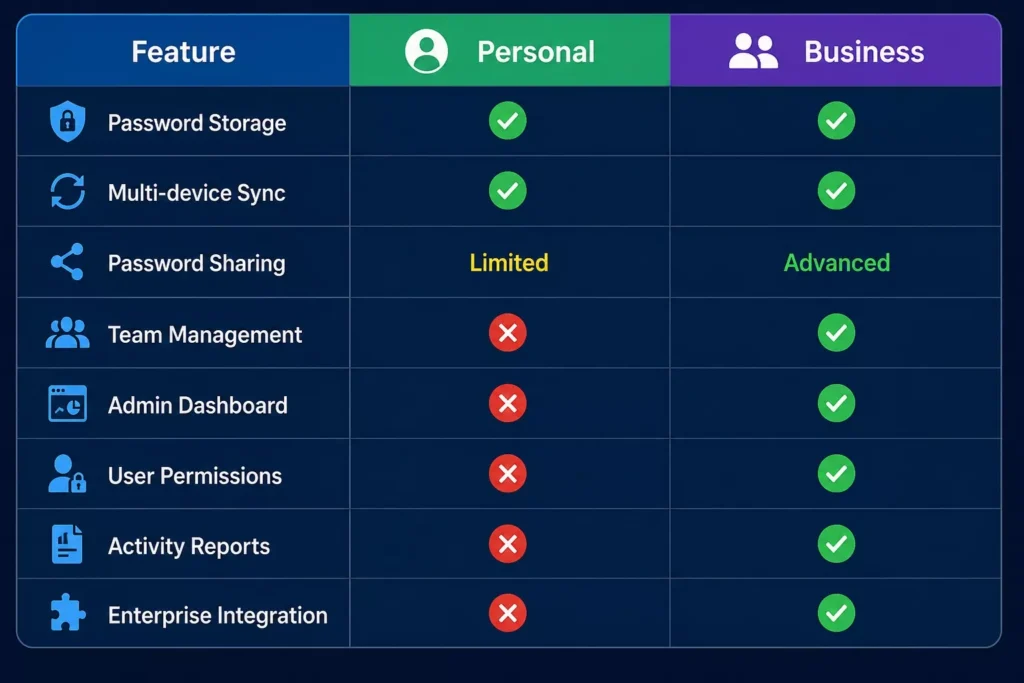
Personal vs Business Password Managers
Are Free Password Managers Safe?
Yes, many free password managers are secure if they come from reputable providers.
However, free plans often have limitations such as:
- Limited device synchronization
- Fewer sharing options
- No advanced monitoring
- Smaller storage capacity
If you manage sensitive business accounts or multiple users, a premium plan is generally worth the investment.
Tips for Using a Password Manager Safely
To maximize your security:
- Create a long and unique master password.
- Enable multi factor authentication (MFA).
- Never share your master password.
- Regularly review password health reports.
- Replace weak or reused passwords immediately.
- Keep your password manager updated.
- Back up emergency recovery codes in a secure location.
Common Myths About Password Managers
“Keeping all passwords in one place is dangerous.”
In reality, encrypted password managers are far safer than writing passwords on paper, storing them in spreadsheets, or reusing the same password across multiple accounts.
“I can remember all my passwords.”
Most people cannot safely remember dozens of unique, complex passwords. This often leads to password reuse, one of the biggest cybersecurity risks.
“Password managers are only for businesses.”
Anyone who uses online banking, email, shopping websites, streaming services, or social media can benefit from using a password manager.
Frequently Asked Questions (FAQs)
Which password manager is best overall?
Bitwarden, 1Password, Dashlane, Keeper, and NordPass are among the top choices, depending on your budget, feature needs, and whether you’re an individual or business user.
Are password managers worth paying for?
Yes. Premium password managers often include advanced security features such as password sharing, breach monitoring, encrypted file storage, and administrative controls that can significantly improve security and convenience.
Can password managers generate strong passwords?
Absolutely. Most password managers include a password generator that creates long, random, and highly secure passwords that are much harder to crack than human created ones.
Can I use a password manager on multiple devices?
Yes. Most modern password managers support Windows, macOS, Linux, Android, iOS, and popular web browsers, allowing you to securely access your passwords across all your devices.