
Whether you’re creating YouTube tutorials, recording online meetings, capturing gameplay, or making software demonstrations, having the best free screen recording software for Windows can make your work much easier. Fortunately, you don’t need to spend money on premium software to create high quality recordings.
In this guide, we’ve compiled the top free screen recorders for Windows based on ease of use, recording quality, editing features, and performance.
Why Use Free Screen Recording Software?
Free screen recording tools are perfect for:
- Creating YouTube videos
- Recording online classes
- Making software tutorials
- Capturing gameplay
- Recording Zoom, Teams, or Google Meet meetings
- Reporting software bugs
- Creating training videos
Most free screen recorders now support HD and even 4K recording without requiring expensive subscriptions.
1. OBS Studio – Best Overall Free Screen Recorder
Best for: Content creators, YouTubers, streamers
Pros
- Completely free and open source
- No watermark
- Unlimited recording
- Supports HD and 4K recording
- Live streaming to YouTube, Twitch, and Facebook
- Highly customizable
Cons
- Learning curve for beginners
OBS Studio remains the gold standard for professional quality screen recording without spending a penny.
2. ShareX – Best for Advanced Users
Best for: Developers and professionals
Features
- Screen recording and screenshots
- GIF recording
- OCR (Text Recognition)
- Workflow automation
- No ads or watermark
ShareX is lightweight yet packed with advanced features that power users appreciate.
3. Xbox Game Bar – Built Into Windows
Best for: Quick recordings and gameplay
Advantages
- Pre installed on Windows 10 & Windows 11
- No installation required
- Easy keyboard shortcuts
- Records games and applications
Limitations
- Cannot record Windows desktop or File Explorer
If you only need quick recordings, Xbox Game Bar is one of the easiest solutions.
4. ScreenPal (Formerly Screencast O Matic)
Best for: Teachers and students
Highlights
- Easy interface
- Webcam recording
- Built-in editing tools
- Cloud sharing
The free version offers plenty of features for educational and business presentations.
5. CamStudio
Best for: Basic screen recording
CamStudio has been around for years and remains a good choice for users who need simple screen recording without unnecessary extras.
Features
- Lightweight
- AVI recording
- Open source
- Easy to use
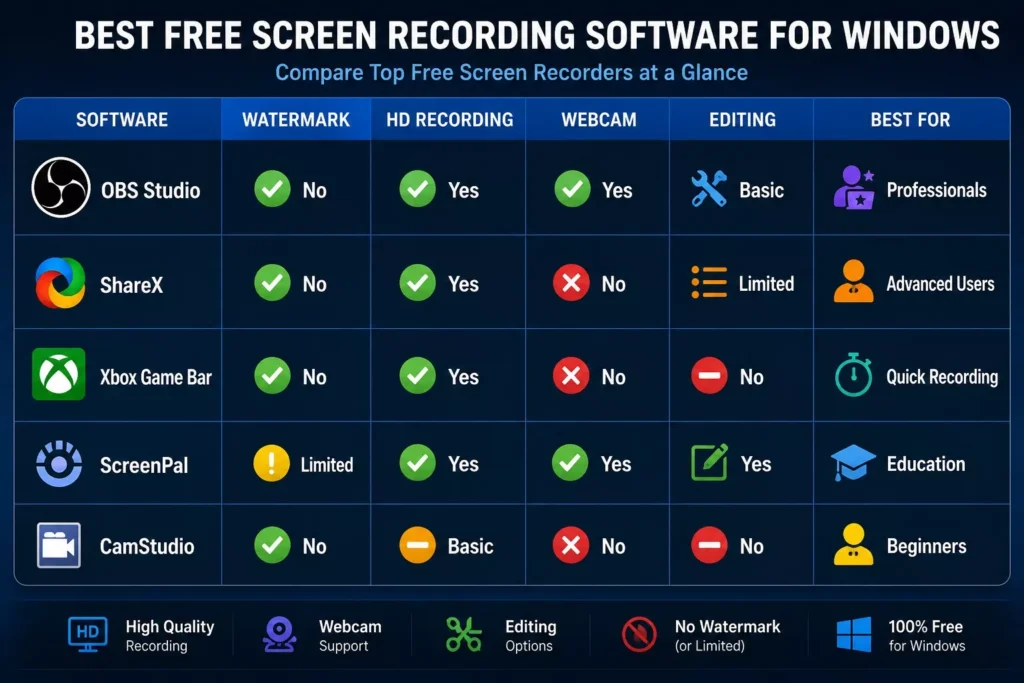
Comparison Table
What to Look for in Screen Recording Software
Before choosing a screen recorder, consider these features:
- HD or 4K video recording
- Audio recording (system and microphone)
- Webcam support
- No watermark
- Easy to use interface
- Video editing tools
- Small file sizes
- Export options (MP4, AVI, MOV)
Which Free Screen Recorder Is Best?
Your ideal choice depends on your needs:
- For YouTube creators: OBS Studio
- For developers: ShareX
- For gamers: Xbox Game Bar or OBS Studio
- For teachers: ScreenPal
- For beginners: CamStudio
Final Verdict: The Best Free Screen Recording Software for Windows
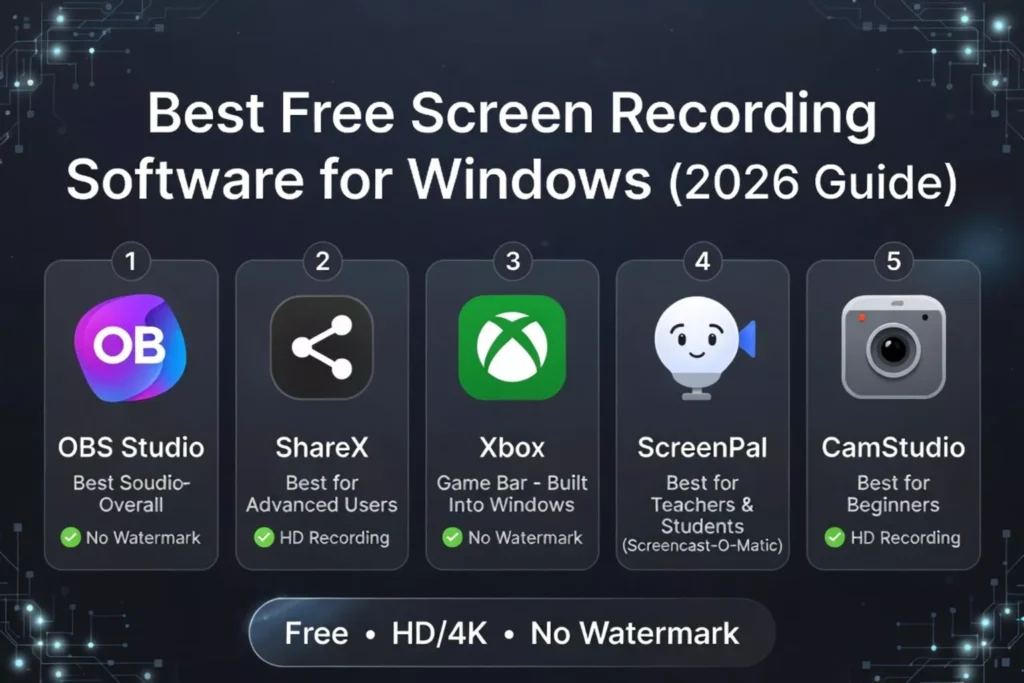
The best free screen recording software for Windows depends on how you plan to use it. If you want professional quality recordings with unlimited features, OBS Studio is the top recommendation. If you need something quick and built into Windows, Xbox Game Bar is a great option.
No matter your experience level, the tools listed above can help you record high quality videos without paying for expensive software.
Frequently Asked Questions (FAQ)
What is the best free screen recorder for Windows?
OBS Studio is widely considered the best free screen recorder because it offers professional features, no watermark, and unlimited recording.
Does Windows have a built in screen recorder?
Yes. Windows includes Xbox Game Bar, which can record games and supported applications.
Can I record my screen without a watermark?
Yes. OBS Studio, ShareX, Xbox Game Bar, and CamStudio allow watermark free recording.
Which free screen recorder is best for YouTube?
OBS Studio is the most popular choice among YouTubers due to its high quality recording and streaming capabilities.
Is free screen recording software safe?
Yes, as long as you download it from the official website of the software developer.