
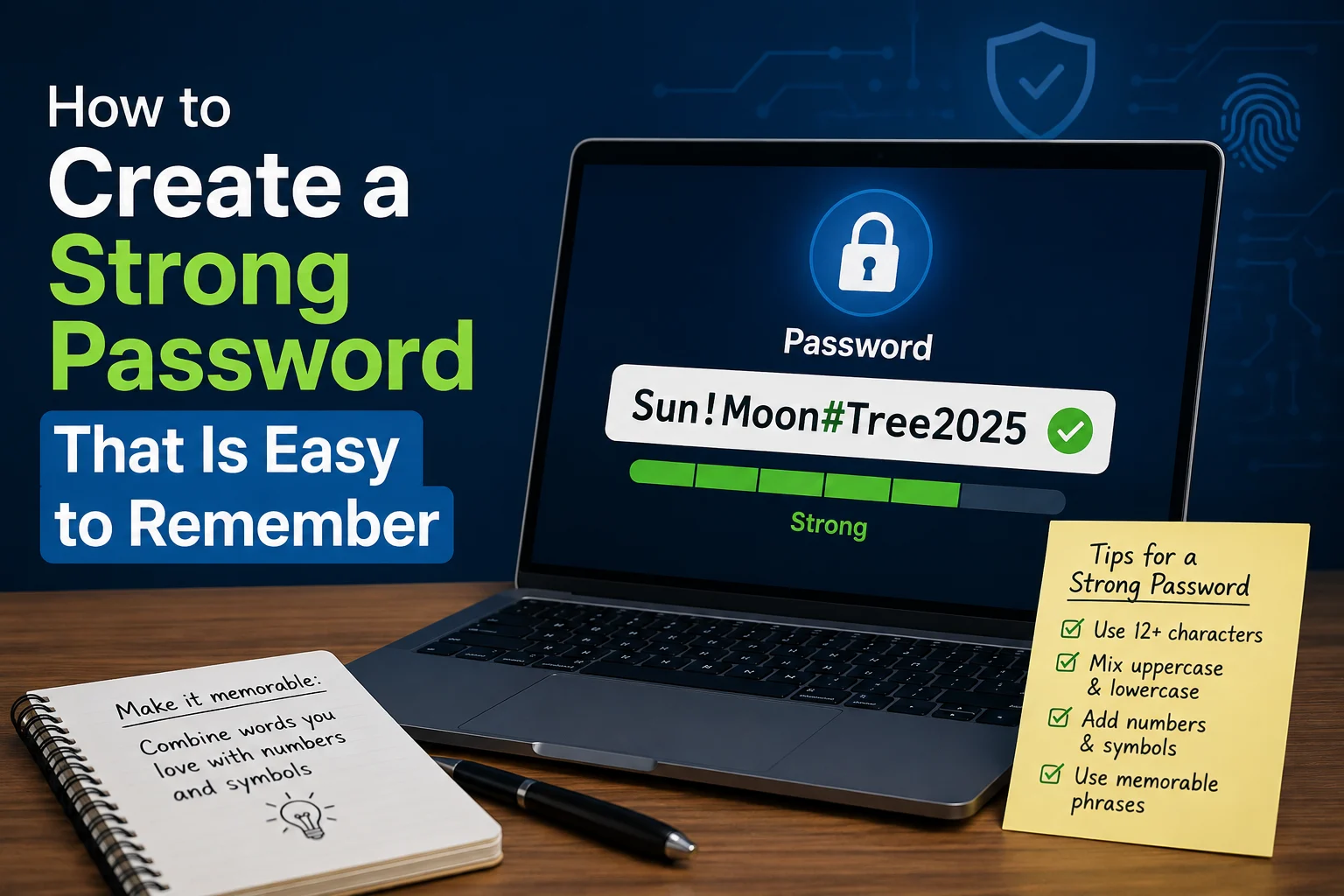

Most people end up choosing between two bad options when it comes to passwords: something easy to remember but weak enough that it could be guessed or cracked in seconds, or something technically strong but so random you end up locked out of your own account trying to recall it. The good news is you don’t actually have to choose. There are a few genuinely effective methods for building passwords that are both secure and realistic to remember, without needing a photographic memory or writing them on a sticky note taped to your monitor.
Here’s how to actually do it, along with why some of the “strong password” advice you’ve probably heard isn’t as effective as people think.
Why Traditional Password Advice Often Backfires
For years, the standard advice was to use a mix of uppercase, lowercase, numbers, and symbols, something like P@ssw0rd1. The problem is this kind of substitution (swapping “a” for “@” or “o” for “0”) is so predictable that password cracking software already accounts for it by default. It creates a password that’s hard for a human to remember but not actually much harder for a computer to guess than the original word.
The more effective approach, one that’s now recommended by security experts including the National Institute of Standards and Technology ( NIST ), focuses on length and unpredictability rather than complex character substitutions. A longer password made of random, unrelated words is often both easier to remember and significantly harder to crack than a short, symbol heavy one.
Method 1: The Passphrase Method (Most Recommended)
This is widely considered one of the best approaches for balancing security and memorability.
- Pick 4 – 5 completely random, unrelated words, ideally words that wouldn’t naturally appear together in a sentence
- String them together, with or without spaces or a separator character
- Optionally add a number or symbol somewhere in the mix
For example: correct-horse-battery-staple or Purple7Umbrella!Kitchen
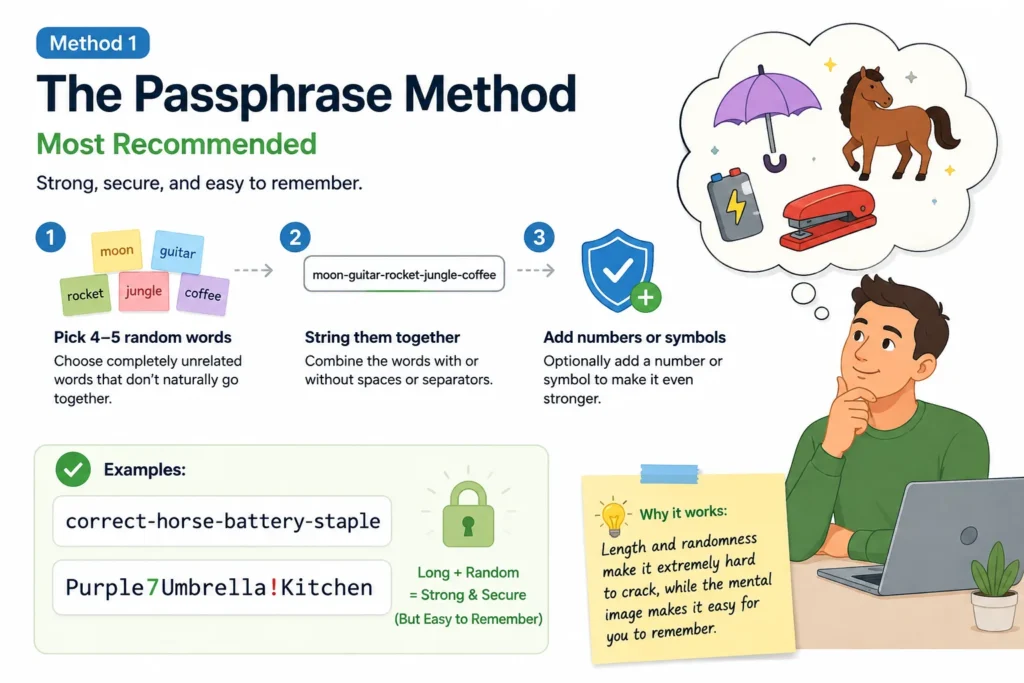
The key here is randomness and word count, not complexity. A password like this is genuinely difficult to crack through brute force methods simply because of its length, while still being something you can actually picture and recall, especially if the words create a slightly absurd or memorable mental image.
Method 2: The Sentence Method
If remembering random unrelated words still feels tricky, turning a memorable sentence into a password works well too.
- Think of a sentence that means something to you personally, but isn’t something obvious like a famous quote or your favorite song lyric
- Take the first letter of each word, along with any numbers, to build your password
For example, the sentence “My dog Max turned 3 years old in October!” could become: MdMt3yoiO!
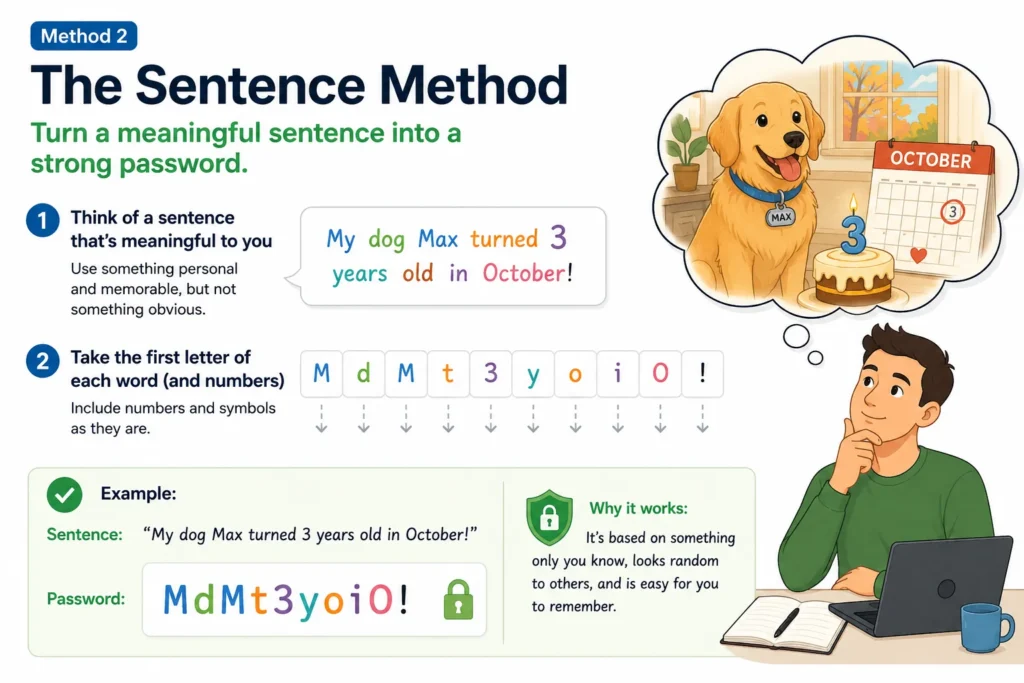
This method creates a password that looks random to anyone else but is actually tied to a specific memory you can easily recall, making it much easier to reconstruct than a truly random string of characters.
Method 3: The Personal Pattern Method
This approach involves building a consistent personal system you can mentally apply to any account, rather than memorizing a single password.
- Create a base passphrase you’ll remember ( using Method 1 or 2 )
- Add a small, consistent modification based on the specific service you’re using, like the first two letters of the website name
For example, if your base passphrase is Tiger$Moon42, your Netflix password might become Tiger$Moon42Ne, while your Amazon password becomes Tiger$Moon42Am.
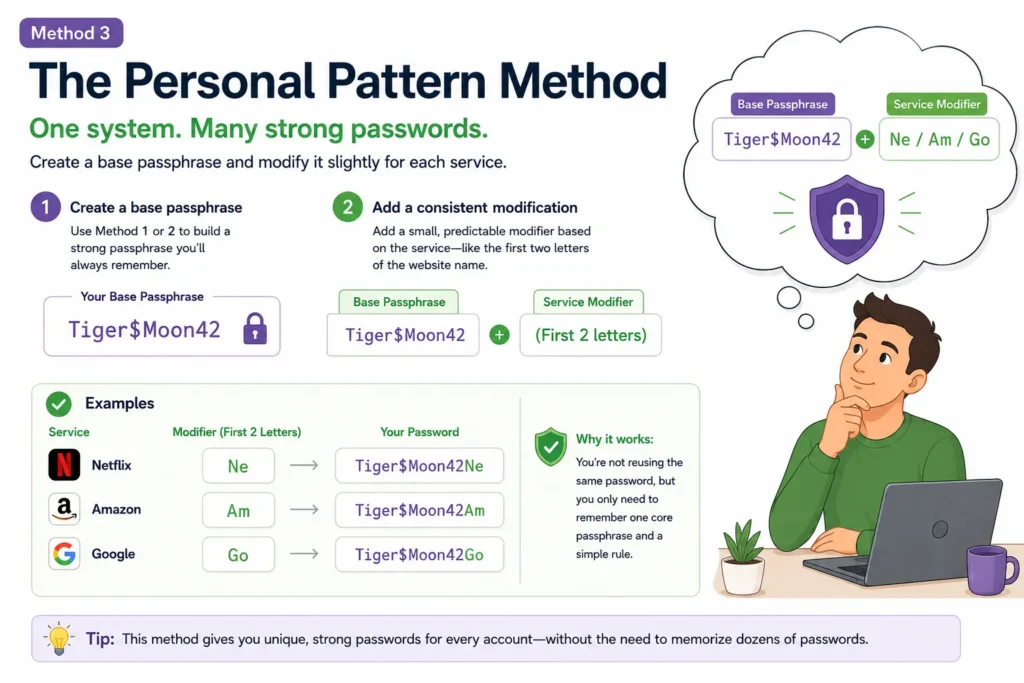
This way, you’re not reusing the exact same password everywhere ( which is genuinely risky, more on that below ), but you only need to remember one core passphrase and a simple rule, rather than an entirely unique password for every single account.
Why You Shouldn’t Reuse the Same Password Everywhere
This is worth addressing directly, since it’s one of the most common password habits and also one of the riskiest. If you use the same password across multiple accounts and just one of those services gets hacked or breached, attackers can take that leaked password and try it on your other accounts, a technique known as credential stuffing. This is exactly how a breach on some site you barely use can end up compromising your email or banking account too.
The personal pattern method above offers a reasonable middle ground if you’re not ready to use a password manager, but a proper password manager ( covered next ) solves this more completely.
Consider Using a Password Manager Instead
Honestly, the single most effective solution to the “strong but memorable” problem is sidestepping it entirely with a password manager. Tools like Bitwarden, 1Password, or Dashlane generate and store fully random, unique passwords for every single account you have, and you only need to remember one master password to unlock the whole thing.
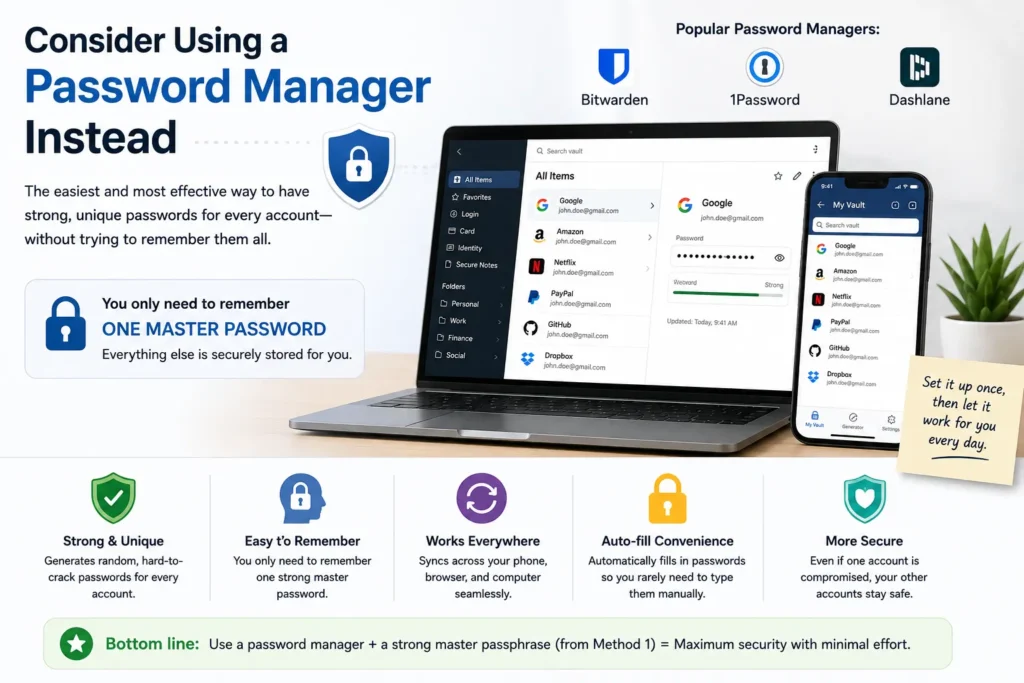
This approach genuinely offers the best of both worlds: every account gets a properly random, hard to crack password, while you only need to actually memorize one strong passphrase ( using Method 1 above ) to access all of them. Most password managers also work across your phone, browser, and computer, autofilling passwords for you so you rarely need to type them out manually at all.
What Makes a Password Actually Strong (The Technical Side)
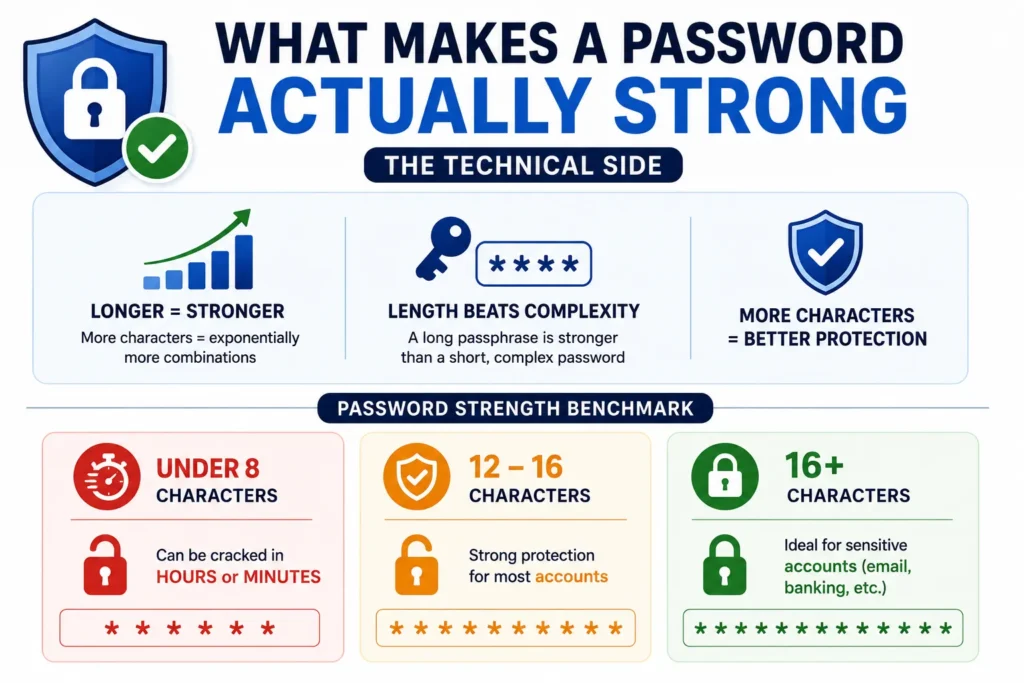
If you’re curious about why length matters so much, here’s the short version: password strength is largely about how many possible combinations an attacker would need to try before guessing correctly. Every additional character you add increases that number exponentially, not just incrementally, which is why a longer password made of simple words often outperforms a shorter, more “complex looking” one.
As a general benchmark:
- Under 8 characters, regardless of complexity, can potentially be cracked in hours or even minutes with modern hardware
- 12 -1 6 characters using a passphrase approach offers strong protection for most personal accounts
- 16+ characters is ideal for particularly sensitive accounts, like your primary email or banking login, since these are often the accounts attackers target first to gain access to everything else
Common Password Mistakes Worth Avoiding
A few habits are worth steering clear of, even with an otherwise strong password strategy:
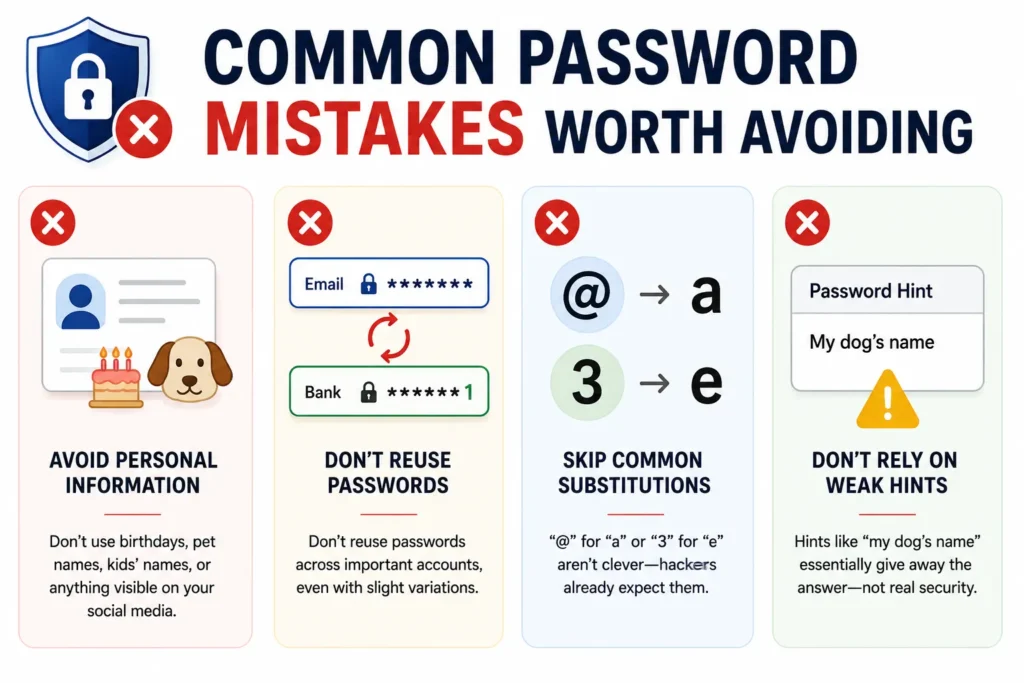
- Avoid personal information that’s easy to find, like birthdays, pet names, or your kids’ names, especially if any of this information is visible on your social media
- Don’t reuse passwords across important accounts, even with slight variations, if the base password is guessable, the variations often are too
- Skip common substitutions people assume are clever, like “@” for “a” or “3” for “e,” since these are already accounted for in most password cracking tools
- Don’t rely on password hints that basically give away the answer, if your hint is “my dog’s name,” that’s not much better than no security question at all
Should You Change Your Passwords Regularly?
This used to be standard advice, but current security guidance has actually shifted away from mandatory regular password changes for accounts that haven’t been compromised. Frequently forced password changes often lead people to choose weaker, more predictable passwords just to make them easier to remember and cycle through.
The more effective approach now is choosing one genuinely strong, unique password per account from the start ( ideally through a password manager ), enabling two factor authentication wherever it’s available, and only changing a password when you have specific reason to believe it may have been compromised, rather than on an arbitrary schedule.
Why Two-Factor Authentication Matters Even With a Strong Password
A strong password is genuinely important, but it’s worth understanding it’s only one layer of protection, not a complete guarantee on its own. Two-factor authentication ( often shortened to 2FA ) adds a second step to logging in, usually a code sent to your phone or generated by an authenticator app, so that even if someone somehow got hold of your password, they’d still need access to your phone or authenticator app to actually get into your account.
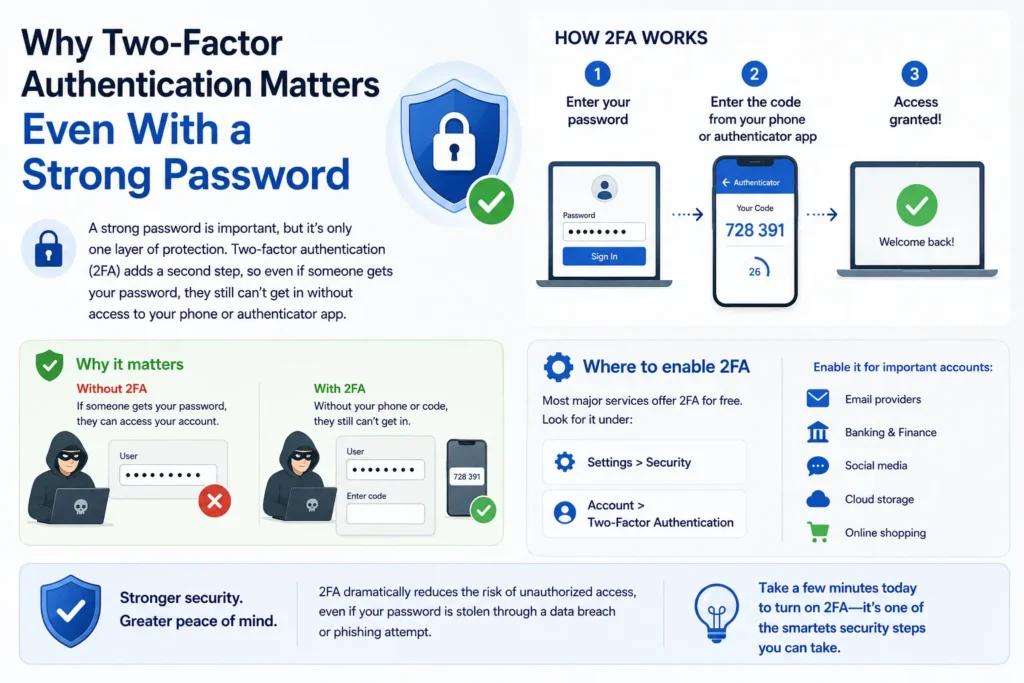
Most major services, including email providers, banking apps, and social media platforms, offer this as a free option, usually found under Settings > Security or Account > Two-Factor Authentication. It’s genuinely worth turning on for any account that holds something important, like your primary email, banking, or social media, since it dramatically reduces the risk even in situations where a password does end up compromised through a data breach or phishing attempt.
How to Test If Your Current Password Is Actually Strong
If you’re curious whether a password you’re already using holds up, there are safe ways to check without exposing the actual password itself.
Check its length and structure first. As a quick gut check, anything under 12 characters, or anything based on a single dictionary word with simple substitutions, is worth upgrading regardless of what any tool tells you.
Use Have I Been Pwned’s Pwned Passwords tool ( haveibeenpwned.com/Passwords ) to check whether a specific password has appeared in known data breaches before, without it ever leaving your device or being transmitted anywhere, the site uses a clever technique that checks partial matches rather than sending your full password. If a password shows up here, even a fairly complex one, it should be changed immediately, since it’s actively circulating among attackers.
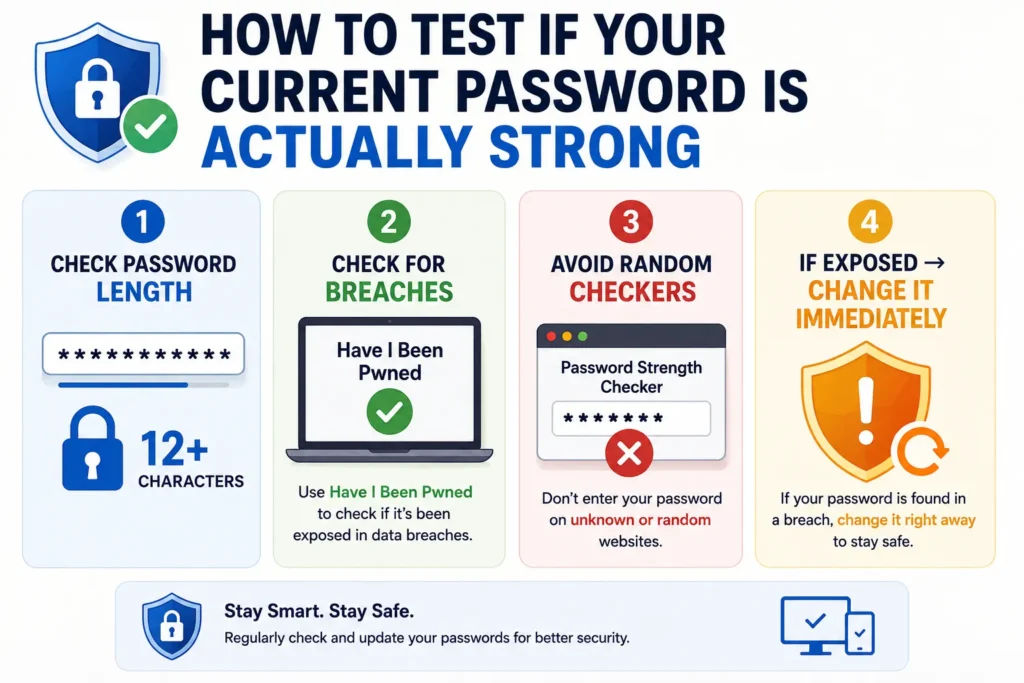
Avoid entering your actual passwords into random “password strength checker” websites you find through a search, since some of these may log or store what you enter, defeating the purpose of testing in the first place. Sticking to well known, reputable tools like the one mentioned above is the safer approach.
Special Considerations for Your Most Important Accounts
Not every account carries the same level of risk if compromised, so it’s worth being a bit more deliberate about your strongest passwords where it actually matters most.
Your email account deserves particular attention, since it’s often the account used to reset passwords for everything else you own, meaning if it’s compromised, an attacker can potentially work their way into many of your other accounts through it. The same logic applies to your primary password manager master password and any banking or financial accounts, these are worth using your longest, most carefully constructed passphrase for, along with enabling two-factor authentication without exception.
For lower-stakes accounts, like a one off forum you signed up for years ago or a newsletter subscription, a strong unique password is still worthwhile, but it doesn’t need quite the same level of obsessive care as the accounts that could realistically cause the most damage if someone gained access to them.
Frequently Asked Questions
Is a longer password always more secure than a shorter, more complex one?
Generally, yes, especially when the shorter password relies on predictable character substitutions. A 16 character passphrase of random words is typically far more secure than an 8 character password packed with symbols, simply due to the sheer number of possible combinations length adds.
How do I remember a completely random password generated by a password manager?
You don’t need to. That’s the whole point of using a password manager, it remembers the random, unique passwords for you, and you only need to memorize the one master password used to unlock the manager itself.
Is it safe to write passwords down on paper?
It’s far from ideal, but for certain situations ( like a master password for a password manager, kept somewhere physically secure like a locked drawer, not visible on a desk ), it’s arguably safer than reusing a weak password across every account. It’s not recommended as a general strategy for all your passwords, though, since physical notes can be lost, stolen, or seen by someone else.
What’s the difference between a password and a passphrase?
A passphrase is essentially a longer password made up of multiple words rather than a single word with substitutions. The terms are sometimes used interchangeably, but “passphrase” specifically emphasizes length and word based structure, which is the approach most security experts currently recommend over shorter, symbol-heavy traditional passwords.
Putting This Into Practice
Building a password that’s both strong and memorable really comes down to shifting away from complex character substitutions and toward length, whether that’s through a random passphrase, a personal sentence turned into a password, or a consistent modification pattern across accounts. And if remembering even that feels like more than you want to deal with, a password manager removes the tradeoff entirely, letting you have properly strong, unique passwords everywhere while only needing to remember one.

Your writing is like a quiet river, moving with gentle persistence. Ideas flow steadily, carrying subtle meaning and inviting the reader to engage in patient contemplation.